
Article 1 : Le Quick Start
Maxi Printer Movements
Before moving, ensure the path is clear. Start the motor using the button, then follow the handle instructions:

Operating the Levers for Movement on the Tracks:

Crane Operation for the Maxi Printer
Orientation f the legs for machine lifting:

Position of the cranes on the legs:

Maxi Printer Outtriggers
Folded

Deployed

Manipulation des pattes et goupilles avant déploiement :
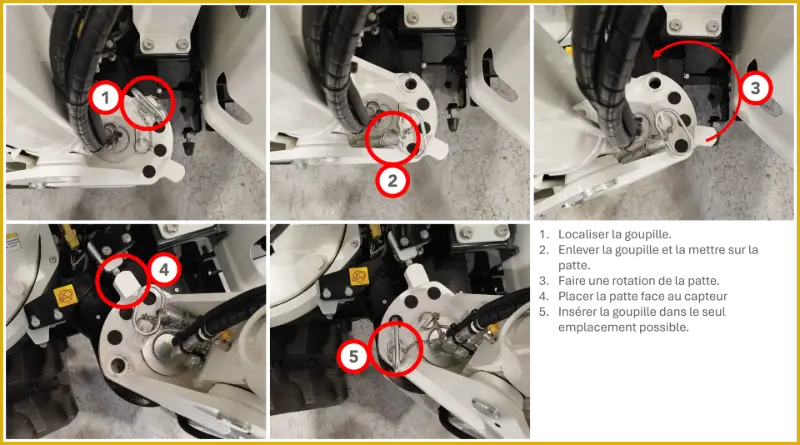
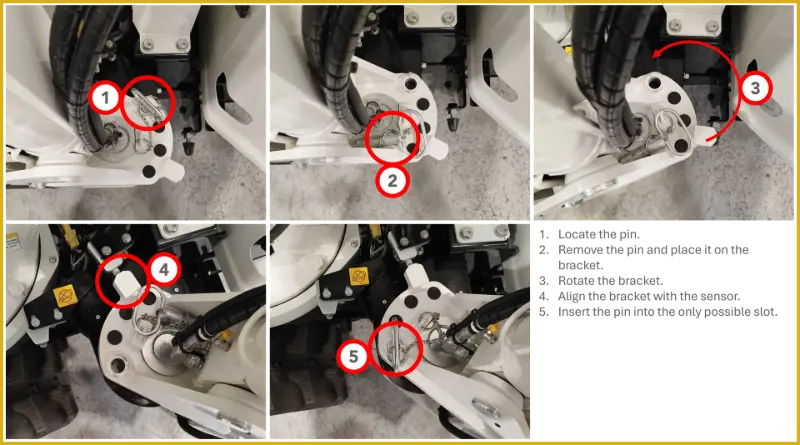


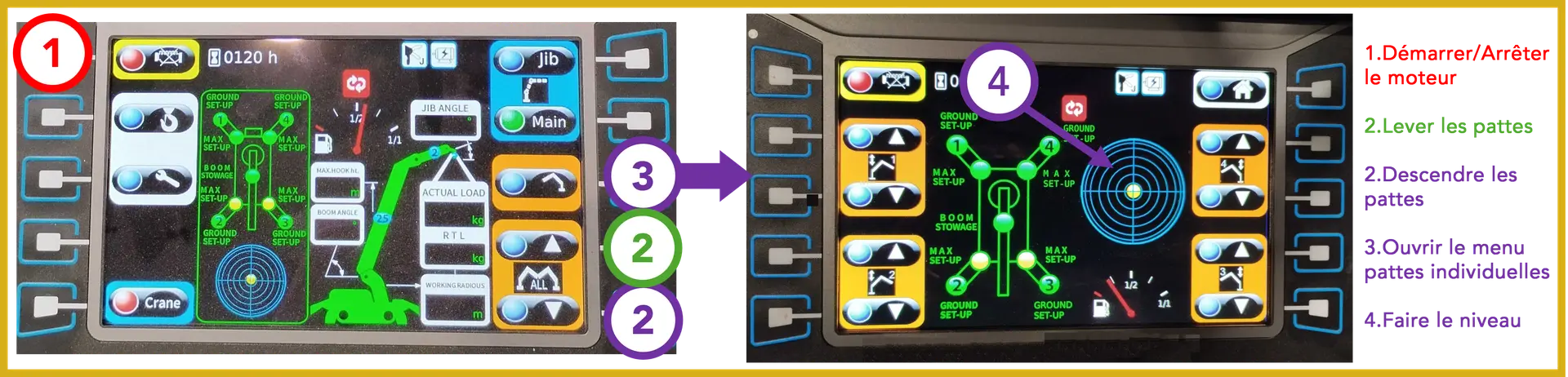
Outtrigers deployment:
Machine Connection (see Category: Connections) and startup of the machine
machine.
Boom and Jib of the Maxi Printer
Folded
Deployed

Lever movements to Deploy/Retract the boom
and jib :

Press the Crane button, then the Main button, then start the motor for the following operations:
To deploy
To fold

Lever movements to Extend/Retract the boom and jib:
Press the Crane button, then the Jib button, then start the motor for the following operations:

MaxiPrinter Printing Head
How to unlock the latch:


Slicer
Refer to the specific Slicer documentation for all
file manipulation and generation.
Positioning Assistant Summary:

Preparation for Printing
connections :
➢ Electrical : machine power, pump power
➢ Concrete tube (see next section)
➢ Pump water tubes
➢ Flexible compressor
During AirPrint :
Check the distance between the nozzle and the ground during the first layer to avoid contact with the ground.
Vérifier que l’imprimante atteint tous les points du fichier: la machine ne doit pas entrer en erreur durant les
Human-Machine Interface (HMI)


Télécharger le pdf ici